For buyers, an LED display is more than a bright surface. It may need to invite people to touch, move, choose, or contribute. So, what is interactive LED technology? It combines LED display hardware with input tools such as touch sensors, cameras, or connected devices, allowing content to respond to user actions. The exact setup varies. A retail wall might show product details when someone taps a tile, while a museum display could reveal a map after a visitor selects a location. These examples sound simple, but the experience depends on more than the screen.
Interactive features can help buyers create more engaging presentations, guide visitors, and update content for different needs. They can also introduce practical demands. Buyers should consider viewing distance, brightness, pixel pitch, touch accuracy, installation conditions, and the software needed to manage content. A demo is useful. Ask to test the display under lighting similar to the final venue, and check how it responds to several users or repeated input. Details matter.
A polished demonstration does not guarantee a smooth daily experience. Maintenance, staff training, network reliability, and accessible controls deserve equal attention. Not always. A large, complex display may be unnecessary for a small space or a simple message. Buyers should match interactive features to clear goals, then confirm those goals with real users where possible. This is where careful evaluation helps: compare measurable specifications, request support details, and ask what happens when a sensor or connection fails. Interactive LED technology can add genuine value, but only when the interaction solves a real problem.
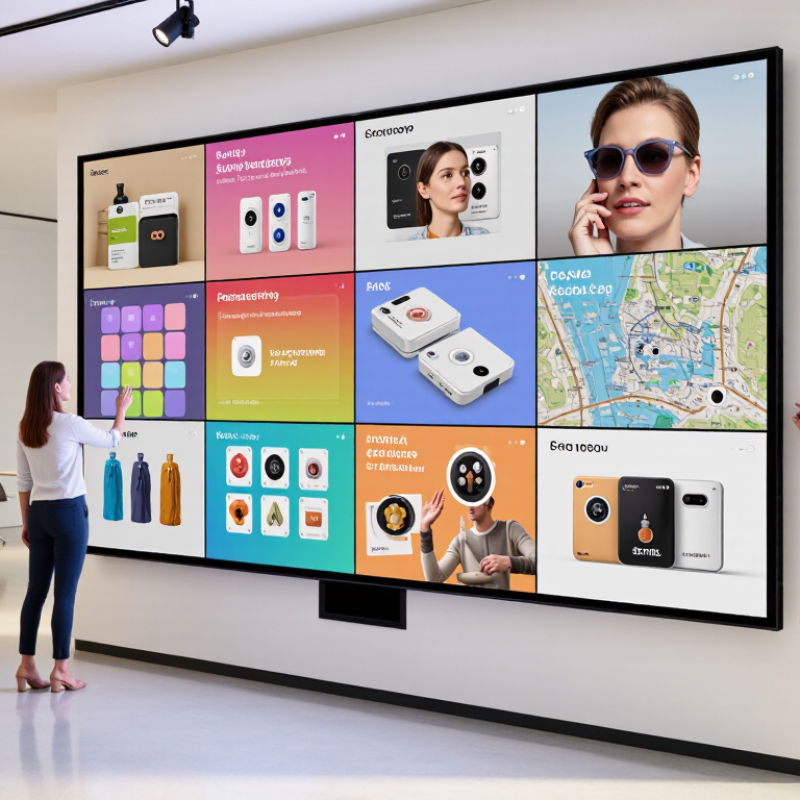
Why Is Interactive LED Technology Important for Buyers?
Interactive LED systems combine three working layers: LED panels, touch sensors, and control software. The panels create bright, seamless visuals in large spaces. Sensors detect fingers, gestures, or movement. Software turns those actions into menus, maps, product views, or live data. The weak point is often software, not pixels. A brilliant wall can still feel clumsy when touch response is slow. MarketsandMarkets reported that the global LED display market could grow from about $7.4 billion in 2023 to $12.3 billion by 2028. This growth reflects stronger demand for flexible, high-impact visual communication.
For buyers, technical matching matters more than headline brightness. Check pixel pitch, viewing distance, touch accuracy, response time, and screen-service access. Also request a real demonstration with dry fingers, bright room lighting, and several simultaneous users. These conditions reveal practical problems quickly. Grand View Research identifies interactive displays as a growing market, supported by education, retail, and public-space applications. Yet market forecasts cannot predict every installation challenge. Software updates, sensor calibration, and staff training may affect long-term value. Accessibility should also be tested, including readable text, reachable controls, and clear audio alternatives.
Tips: Ask for total operating costs, not only the panel price. Confirm compatibility with your existing content system. Test cleaning routines and protective glass before purchase. Keep a manual fallback; interactive technology occasionally needs one.
Buyer-focused comparison of the core components, measurable specifications, and planning considerations for an interactive LED system.
| Evaluation Dimension | Typical Data or Specification | Component Involved | Why It Matters to Buyers |
|---|---|---|---|
| Pixel Pitch | Approximately 1.2–4.0 mm for indoor applications | LED panels | Smaller pixel pitch generally produces a sharper image at close viewing distances, while larger pitches can reduce initial cost for distant audiences. |
| Recommended Viewing Distance | Roughly 1.5–8 m, depending on pixel pitch and content detail | LED panels and installation design | Matching pixel pitch with viewing distance helps prevent visible pixel structure and supports comfortable reading of text and graphics. |
| Brightness Range | Typically 600–1,500 nits for indoor systems; higher levels may be required near strong ambient light | LED panels and control software | Appropriate brightness improves visibility while automatic dimming can reduce glare, energy use, and eye fatigue. |
| Refresh Rate | Commonly 1,920–3,840 Hz or higher | LED panels and receiving hardware | A higher refresh rate helps reduce flicker and scan-line artifacts, especially in camera-recorded presentations, classrooms, and live events. |
| Touch Technology | Infrared touch frames are widely used; capacitive and optical technologies are also available | Touch sensors | The sensing method affects touch accuracy, bezel size, durability, glove compatibility, and suitability for large-format installations. |
| Multi-Touch Capability | Often 10–40 simultaneous touch points, depending on sensor size and controller | Touch sensors and controller | More touch points allow multiple users to annotate, compare information, or interact with collaborative content at the same time. |
| Touch Response Latency | Approximately 10–50 ms in a properly configured system | Touch sensors, controller, and software | Low latency creates a more natural writing and navigation experience and reduces the delay between user actions and visual feedback. |
| Display Resolution | Determined by screen dimensions and pixel pitch; common installations range from Full HD to 4K-equivalent output | LED panels and video processor | Higher effective resolution is valuable for detailed diagrams, dashboards, product visualization, and small text. |
| Viewing Angle | Typically about 140°–160° horizontally, depending on LED package and design | LED panels | A wide viewing angle helps preserve image visibility when users are standing or moving across the room rather than viewing the screen straight on. |
| Connectivity | Common interfaces include HDMI, DisplayPort, USB, Ethernet, and wireless network connections | Video processor and software platform | Flexible connectivity simplifies integration with computers, cameras, media players, collaboration tools, and building networks. |
| Interactive Software Functions | Annotation, object manipulation, content sharing, user permissions, screen recording, and remote content management | Software platform | Software determines whether the display is only a touch-enabled screen or a complete workflow tool for collaboration, training, retail, or public engagement. |
| Operating-System Compatibility | Compatibility may include Windows, Android, macOS, Linux, or browser-based platforms | Software and system controller | Compatibility reduces deployment friction and allows organizations to use existing applications, files, and content-management processes. |
| System Calibration | Initial alignment and periodic recalibration may be required after installation, servicing, or physical movement | Touch sensors and software | Accurate calibration keeps the touch location aligned with on-screen objects and helps maintain a reliable user experience over time. |
| Energy Management | Brightness scheduling, automatic sleep mode, and ambient-light adjustment are common control features | LED panels and software | Power-management functions can lower operating costs and extend component life without removing interactive availability. |
| Maintenance Access | Front-serviceable or rear-serviceable panel designs are available | LED panels and installation structure | Front access is useful where rear clearance is limited; service design directly affects downtime, labor requirements, and total cost of ownership. |
| Content Security | User authentication, role-based permissions, encrypted connections, and controlled device access may be supported | Software platform and network infrastructure | Security controls help protect internal presentations, customer data, interactive applications, and remotely managed content. |
| Total Cost of Ownership | Includes hardware, mounting, processing, software licenses, installation, training, maintenance, and energy use | Complete system | Evaluating the full lifecycle cost gives buyers a more accurate comparison than looking only at the panel purchase price. |
Planning note: The figures shown are typical industry reference ranges rather than universal specifications. Actual performance depends on screen size, pixel pitch, ambient lighting, touch technology, processing hardware, software configuration, installation quality, and operating conditions.
Small controls can cause missed taps, especially when users are moving or reaching toward a high screen. Larger targets make interaction easier.
Criterion 2.5.8 sets a minimum of 24 × 24 CSS pixels, with specific exceptions. It is a floor, not a guarantee of comfort.
Not always. Test the interface on the actual display, where scaling and screen size can change how controls feel.
Leave space between nearby buttons. Test with different users, hand positions, and viewing distances; labels may still be hard to read.
Grand View Research forecasts 8.1% annual compound growth from 2024 to 2030. Forecasts are not guarantees.
Check brightness, viewing distance, refresh rate, service access, energy use, and content compatibility. Specifications alone do not tell the whole story.
Test visibility from several angles, not just a showroom position. A bright lobby may need readable content at a distance.
Ask for measured performance data, warranty terms, replacement procedures, and installation references. Small details matter.
Yes. Slow content loading or neglected maintenance can undermine the experience. It can become expensive decoration.
Interactive LED technology combines LED display panels, touch sensors, and software to create visual systems that respond to user input. Understanding what is interactive LED technology helps buyers assess how the display’s components work together and whether a system suits its intended setting. Image quality is shaped by pixel pitch, which affects viewing detail, brightness for different lighting conditions, and refresh rate for smooth motion.
Buyers should also consider connectivity and accessibility. HDMI 2.1 supports bandwidth of up to 48 Gbit/s and 4K resolution at 120 Hz, enabling high-quality video transmission when compatible equipment is used. For touch design, WCAG 2.2 provides a 24 × 24 CSS pixel target as a reference for making interactive controls easier to use. These practical considerations matter as demand for digital signage is forecast to grow at an 8.1% compound annual growth rate from 2024 to 2030.

 Aras LED