HDR has become a practical consideration for modern LED walls, not merely a marketing label. The question “what is HDR for LED walls” refers to a display system’s ability to reproduce brighter highlights, deeper shadows, and a wider range of colors. On a well-calibrated wall, sunlight can look vivid without losing surface detail. Dark scenes can retain texture instead of becoming flat black.
This difference matters in control rooms, retail spaces, stadiums, and immersive exhibitions. However, HDR performance depends on more than LED brightness. The receiving card, video processor, cabinet design, content format, and calibration workflow all influence the final image. A wall may support HDR10 or HLG, yet still show uneven skin tones or clipped highlights when settings are poorly matched. Real installation experience proves this point. Test patterns reveal problems that promotional videos often hide.
HDR is not a magic switch.
Technicians should check grayscale tracking, peak brightness, color volume, viewing distance, and ambient light. A bright showroom may require a different balance than a dark theater. Excessive brightness can create eye fatigue, while insufficient contrast weakens the intended effect. Content creators also need compatible cameras, mastering displays, and reliable metadata. Mistakes can happen, especially when older processors or mixed LED modules enter the system. For that reason, HDR should be evaluated through measured performance and real viewing tests, not specifications alone. Its value appears when hardware, content, and calibration work together consistently.
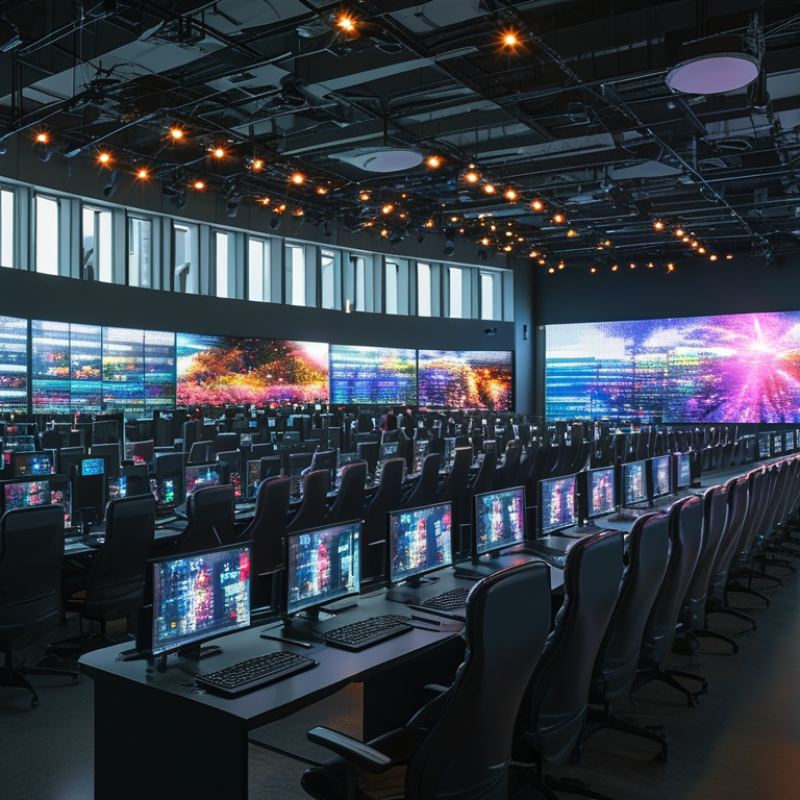
What HDR Means in LED Wall Technology
HDR means High Dynamic Range, but in LED wall technology it is more than brighter pixels. It describes a wider luminance range, stronger contrast, and richer color detail from shadow to highlight. The key is controlled brightness, not maximum brightness. VESA’s DisplayHDR 1.2 specification lists tiers from 400 to 1400, expressed in candela per square metre. Those figures indicate peak brightness, yet they do not describe every viewing condition.
An HDR-ready LED wall must manage signal, calibration, and heat together. Content often uses the SMPTE ST 2084 perceptual quantizer and the BT.2100 HDR framework. These standards map bright sunlight, metallic reflections, and dark fabric into usable digital values. The contrast becomes visible in a night scene: black coats retain folds, while street lamps avoid flat white clipping. The UHD Alliance’s published technical requirements reference wide-gamut color and high peak luminance, including 1,000-nit peaks for some display categories. For large LED walls, measurement must include the full cabinet, not one perfect module.
Field evaluation exposes the difficult part. A wall can pass a peak-brightness test and still show gray blacks, banding, or uneven color. Ambient light, camera exposure, viewing distance, and processor settings change the result. VESA’s measurements help, but they are not a substitute for on-site verification. Careful calibration often matters more than chasing another specification number. That judgment is not universal. It should be tested against real content, real angles, and real audience behavior.
How HDR Expands Brightness, Contrast, and Color Range
HDR matters on LED walls because it makes brightness, contrast, and color range more convincing. Bright highlights can look like sunlight, while shadows retain visible texture. A stage light may appear brilliant without turning nearby faces into flat white shapes. In practice, HDR depends on the wall, playback system, content, and calibration working together. Higher peak brightness alone is not enough.
HDR also improves color volume, meaning colors stay strong at different brightness levels. Deep reds, warm skin tones, and blue skies can appear richer and more natural. Contrast becomes especially important in rooms with ambient light. Better black performance helps dark areas remain detailed instead of looking gray. I once treated peak brightness as the main target. That was a mistake. Excessive brightness can cause eye strain and hide subtle color differences.
Tips: Test HDR content at several brightness levels. Check skin tones, dark clothing, and small highlights. Measure the wall in its real installation space, not only in a showroom. Confirm that cameras and playback devices support the same HDR format. Leave time for calibration. Even experienced teams can overlook viewing angles, reflections, or uneven modules. A small mismatch may become obvious across a large LED surface.
Why Is HDR Important for LED Walls?
How HDR expands brightness, contrast, and color range
HDR increases highlight headroom, allowing a common HDR10 mastering reference of 1,000 nits compared with the 100-nit SDR reference white. It also uses 10-bit signaling instead of 8-bit, providing four times as many code values per color channel for smoother gradients. The wider BT.2020 color-primary triangle offers approximately 1.88 times the chromaticity area of Rec.709. Actual LED-wall performance depends on black level, peak brightness, calibration, and processing quality.
Reference basis: SDR 100-nit reference white and 8-bit Rec.709; HDR10 PQ with 10-bit signaling, a commonly used 1,000-nit mastering reference, and BT.2020 color primaries. Values are shown relative to the SDR baseline.
Why HDR Improves LED Wall Image Quality
HDR improves LED wall image quality by expanding visible brightness and color detail. On a standard display, a white spotlight may become a flat, clipped patch. HDR can preserve its glow, edge, and surrounding haze. It also reveals texture in dark costumes, stage curtains, and shaded architectural surfaces. That difference matters. Viewers see depth instead of a bright image with missing information.
In practical LED wall installations, HDR works through higher peak brightness, deeper controlled blacks, and wider color volume. Careful calibration keeps red lights from becoming orange and protects skin tones under intense illumination. A properly tuned processor maps HDR signals to the wall’s actual capabilities. This step is essential because cabinet consistency, viewing distance, and ambient light affect the result. HDR is not magic. Poor calibration can make highlights harsh and shadows muddy.
Content quality matters just as much. HDR footage must contain useful highlight and shadow information. Converting ordinary video cannot create detail that was never captured. Installers should check brightness uniformity, grayscale tracking, refresh behavior, and thermal stability during long shows. In my experience, the strongest improvement is subtle: metal reflections look believable, clouds retain shape, and faces remain natural. I still question overly bright presets. They attract attention briefly, but they can reduce comfort and visual accuracy. That distinction is easy to miss during a short demonstration.
The Role of Content, Processing, and Calibration in HDR
HDR matters for LED walls because it preserves bright highlights and dark detail in the same image. A sunset should show a glowing sun, soft clouds, and visible foreground texture. Without proper control, the sun becomes a white patch and shadows turn flat. Real-world installations often reveal this problem during camera tests, not during showroom demonstrations.
Content is the foundation. HDR video needs suitable brightness data, wide color information, and correct metadata. Processing then maps that signal to the wall’s actual output range. If the processor clips highlights or lifts black levels, HDR loses its purpose. Calibration connects the final steps. Technicians should measure brightness, grayscale, color temperature, and pixel uniformity across the surface. A colorimeter can expose differences that the eye may overlook. Still, measurement is not everything. Viewing angle, ambient light, and audience distance can change the result. I have seen technically accurate walls appear too bright in a dark venue. That mistake deserves review.
Tips: Test real content, not only color bars. Check faces, clouds, metallic reflections, and deep shadows. Set brightness for the venue, then verify it again after installation. Keep a record of calibration settings. Recheck the wall periodically, because LEDs can age unevenly. Allow a small tolerance; perfect uniformity is rarely realistic.
Key Factors for Choosing an HDR-Ready LED Wall
Choosing an HDR-ready LED wall starts with measured performance, not an HDR label.
In real installations, peak brightness must survive ambient light without crushing highlights. Ask for calibrated measurements at the intended viewing distance. Contrast matters too. Deep blacks reveal shadow detail in a dark room, while uneven cabinets can create distracting bands. A wall may look spectacular in a showroom and disappoint beside windows. Test the actual content, room, and operating schedule.
Color capability
deserves close inspection. A wide color gamut helps only when the display processes it accurately. Check native bit depth, grayscale tracking, color volume, and support for common HDR formats. Stable refresh and low latency protect fast scenes from tearing or delayed motion. The video processor should map highlights smoothly, rather than clipping bright clouds into white blocks. Request a calibration report, then verify it with a colorimeter or spectroradiometer. Specifications can be incomplete. They often are.
Thermal control and long-term consistency are easy to overlook. Heat can reduce brightness and shift color during a long event. Look for monitoring tools, accessible modules, and a clear calibration process. Pixel spacing should match viewing distance; finer is not always better or more economical. Power redundancy may protect critical shows, but it adds weight and cost.
I have learned that “HDR-ready” is a starting point, not proof. A careful trial run may expose limits that polished demonstrations hide.
Conclusion
HDR is a key technology for improving the visual performance of LED walls by expanding the range between the darkest shadows and brightest highlights. When people ask, “what is HDR for LED walls,” they are referring to a system that supports greater brightness, deeper contrast, and a wider, more natural color range. This allows images to appear more vivid, detailed, and realistic, especially in scenes with strong lighting differences or subtle color transitions.
However, HDR performance depends on more than the LED display itself. High-quality content must contain HDR information, while the processing system needs to handle that data accurately and consistently. Proper calibration is also essential for maintaining balanced brightness, color accuracy, and uniformity across the entire wall. When choosing an HDR-ready LED wall, consider its peak and sustained brightness, contrast capability, color depth, processing compatibility, viewing environment, and calibration support. Together, these factors determine whether HDR can deliver a clear and convincing improvement in image quality.

 Aras LED