How to Troubleshoot Common LED Display Problems Effectively?

Time:2026-06-10 Author:Mason
0%

LED displays are widely used in various applications, from advertising to event broadcasting. However, they are not immune to issues. Understanding how to troubleshoot LED display problems is essential for maintaining their performance and longevity. Common problems include flickering, color distortion, and dead pixels. Each issue can stem from different sources, making it crucial to diagnose them properly.

In this guide, we will explore effective techniques for troubleshooting LED issues. Expertise in this area may help avoid costly repairs or replacements. By adopting a systematic approach, one can identify problems quickly. This requires careful observation and methodical checks.

Remember, troubleshooting can sometimes be a trial-and-error process. Not every solution will work on the first attempt. It's important to remain patient and adaptable. Recognizing that mistakes may occur will lead to a more thorough understanding of LED technology. Ultimately, knowing how to troubleshoot LED display problems empowers users and enhances their confidence.
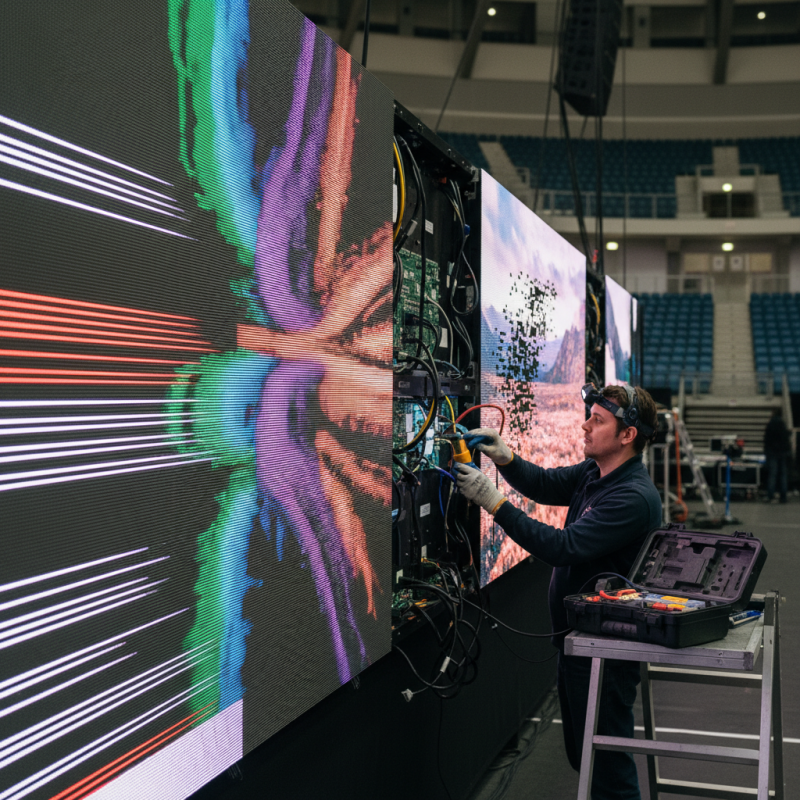
How to Troubleshoot Common LED Display Problems Effectively?

Understanding Common Issues with LED Displays

LED displays are a modern marvel, but they are not without issues. Understanding common problems can significantly enhance performance and viewing experience. For instance, a study by the National Institute of Standards and Technology showed that improper calibration often reduces brightness levels by 20% or more. This leads to an unsatisfactory experience for users.

Common issues include color distortion and flickering. Incorrect settings or potential hardware failures often cause these problems. Regular maintenance and calibration can help mitigate these issues. According to industry research, proper adjustment of display settings can improve image clarity by up to 30%.

**Tip:** Regularly check brightness and contrast settings to ensure optimal performance.

Another prevalent issue is dead pixels. A study from DisplayMate indicated that around 1-3% of pixels may fail in typical production runs. Recognizing this early allows for swift remediation.

**Tip:** Invest in a quality display testing tool. This will help identify dead pixels efficiently.

By focusing on these common troubles, users can prolong the lifespan of their LED displays. Engaging with reliable maintenance practices is essential for optimal functionality.

Identifying Symptoms of LED Display Malfunctions

Identifying symptoms of LED display malfunctions can significantly streamline the troubleshooting process. Common indicators may include flickering images, uneven brightness, or unresponsive sections. These issues can stem from various sources, such as faulty connections, aging components, or incorrect settings. Observing the behavior of your display closely is crucial.

For instance, if one part of the screen is brighter or dimmer than the rest, it may indicate a failing LED or driver issue. Flickering can result from power supply fluctuations or signal interruptions. Regular visual inspections can reveal these problems early. If all else fails, consulting the official documentation can provide guidance.

It's important to document any changes made during troubleshooting. This record can help track what has been tried and what works. Noting the conditions that preceded the malfunction may also offer insights. Learning from these issues ensures better handling of future occurrences.

Step-by-Step Troubleshooting Techniques for LED Displays

LED displays can exhibit various problems that may affect their performance. Understanding common issues and how to address them is crucial for optimal functionality. Start by examining the power source. If the display is unresponsive, check connections and ensure the power supply is stable. Power fluctuations can lead to temporary malfunctions, so consider using a surge protector. Assessing cable connections is also important. Loose or damaged cables can disrupt signal transmission and cause visual artifacts.


Next, focus on the settings and configurations. In some cases, incorrect settings can lead to issues like color distortion or dimming. Navigate through the display’s menu to reset settings to factory defaults. If the display flickers, it could be due to a refresh rate mismatch. Adjusting the refresh rate to match the input source often resolves this. Take care to review the display environment too. Excessive heat or moisture can cause additional problems, leading to lower performance or permanent damage.


Occasionally, software issues may arise, especially in smart displays. Ensure that all firmware is up to date. Outdated software can result in glitches. Regular maintenance checks can help identify problems early on. Be vigilant about these minor details. A careful troubleshooting process can save time and costs in the long run. Remember, perfect solutions are rare; being thorough and patient will enhance your troubleshooting skills.

Testing and Replacing LED Display Components

When dealing with LED display issues, testing and replacing components can be vital. Start by examining the power supply. If the display is not lighting up, check if the power supply is functional. A multimeter can help verify voltage output. If the voltage is inadequate, consider replacing the power supply unit.

Connections should also be inspected closely. Loose or damaged cables may lead to flickering or dim displays. Unplugging and reconnecting cables can often resolve minor issues. If that doesn’t work, test the cables with a continuity meter. Replace any cables that fail the test.

Tips: Always ensure the device is powered off before attempting any repairs. Use anti-static wrist straps to avoid damaging components. Keep your workspace organized to avoid misplacing screws or small parts. These steps will help in efficiently troubleshooting LED display problems. Understanding when to replace components is essential. If a certain part consistently fails, consider it as a potential weak point in your setup. Identifying patterns will guide better decision-making in repairs.

Common LED Display Problems and Troubleshooting Steps

Preventive Measures to Enhance LED Display Longevity

LED displays are essential in modern visuals, but they require proper care to ensure longevity. Research by the International Display Research Center indicates that improper maintenance can reduce an LED's lifespan by up to 50%. Preventive measures are vital for enhancing performance and durability.

Regular cleaning is crucial. Dust and debris can obstruct light output, affecting brightness. Use a soft microfiber cloth and a mild cleaning solution to wipe screens. Aim for a clean display at least once a month, especially in high-traffic areas.

Temperature control is another significant factor. LED displays thrive in cooler environments. Operating them in extreme heat can lead to overheating, which damages internal components. It’s advisable to maintain a stable room temperature, ideally around 70°F (21°C). Consider using cooling fans or air conditioning.

Tips: Always check for software updates. Regular firmware updates can improve functionality and address underlying issues. Installing protective screens can safeguard against physical damage and weather conditions. Remember, attention to detail can vastly improve the longevity of your LED display.

How to Troubleshoot Common LED Display Problems Effectively? - Preventive Measures to Enhance LED Display Longevity

Issue Symptoms Troubleshooting Steps Preventive Measures
No Display Screen is blank or no light Check power supply and connections; test with different source. Regular checks of power sources; keep connections clean.
Dim Image Display appears faded Adjust brightness settings and check for software updates. Regularly calibrate the display; avoid bright ambient lighting.
Color Issues Discoloration or color distortion Check RGB settings and test with known good input. Periodic color calibration; avoid exposing to extreme heat.
Flickering Screen intermittently turns on and off Inspect cables and connectors; replace faulty hardware. Use surge protectors; avoid overloading circuits.
Dead Pixels Non-functional pixels visible Use software to identify dead pixels; consider panel replacement. Handle displays gently; ensure proper temperature conditions.

FAQS

: What should I check if my LED display is unresponsive?

: Start by examining the power source and connections. Ensure the power supply is stable.

How can power fluctuations affect my LED display?

Power fluctuations can cause temporary malfunctions. Using a surge protector may help.

What to do if the display shows visual artifacts?

Assess cable connections. Loose or damaged cables can disrupt signal transmission.

How can incorrect settings impact the LED display?

They may cause issues like color distortion. Reset settings to factory defaults if needed.

Why does my display flicker?

Flickering can be due to a refresh rate mismatch. Adjust the refresh rate to match the input source.

What environmental factors should I consider for my LED display?

Excessive heat or moisture can damage the display. Maintain a stable room temperature.

How can I ensure my LED display lasts longer?

Regular cleaning helps. Dust can obstruct brightness. Clean screens with a microfiber cloth monthly.

Why are software updates important for LED displays?

Up-to-date firmware can fix glitches and improve functionality. Regular updates are recommended.

How should I manage the temperature around my LED display?

Keep the room temperature around 70°F (21°C). Consider cooling fans if it gets too hot.

What measures can protect my LED display from physical damage?

Installing protective screens can help safeguard it against physical impacts and harsh weather.

Conclusion

In the article "How to Troubleshoot Common LED Display Problems Effectively," various critical aspects of LED display maintenance are explored. It begins by elucidating the common issues that users may encounter with LED displays, providing insights into identifying symptoms of malfunctions. The article then details step-by-step troubleshooting techniques that enable users to systematically address these problems.

Furthermore, it emphasizes the importance of testing and replacing specific components of the LED display to ensure optimal functionality. Lastly, preventive measures are discussed to enhance the longevity of LED displays, ensuring that users can maintain their equipment effectively. This comprehensive guide serves as a valuable resource for anyone seeking to understand how to troubleshoot LED display problems and perform necessary upkeep efficiently.

Mason

Mason

Mason is a seasoned marketing professional with a deep expertise in the company's offerings and a passion for driving brand awareness. With a strong background in digital marketing strategies, he has an innate ability to connect with diverse audiences and effectively communicate product benefits.......