How to Integrate China Best LED Displays with Control Systems

Time:2026-09-24 Author:Isabella
0%

Selecting China’s best LED displays is only the beginning. The real challenge is learning how to integrate LED displays with control systems reliably. A bright cabinet can still fail when signal timing, processor settings, or network communication remain poorly matched.

LED display specialist Michael Garry states, “A display is only as reliable as the signal chain behind it.” This practical view matters during system planning. Confirm the display’s pixel pitch, refresh rate, scan mode, receiving cards, and input interfaces. Then match them with the video processor, controller, media server, and monitoring software. Small details matter. A mismatched frame rate may create flicker. Incorrect cabinet mapping can produce reversed images. Weak network design can interrupt a live presentation.

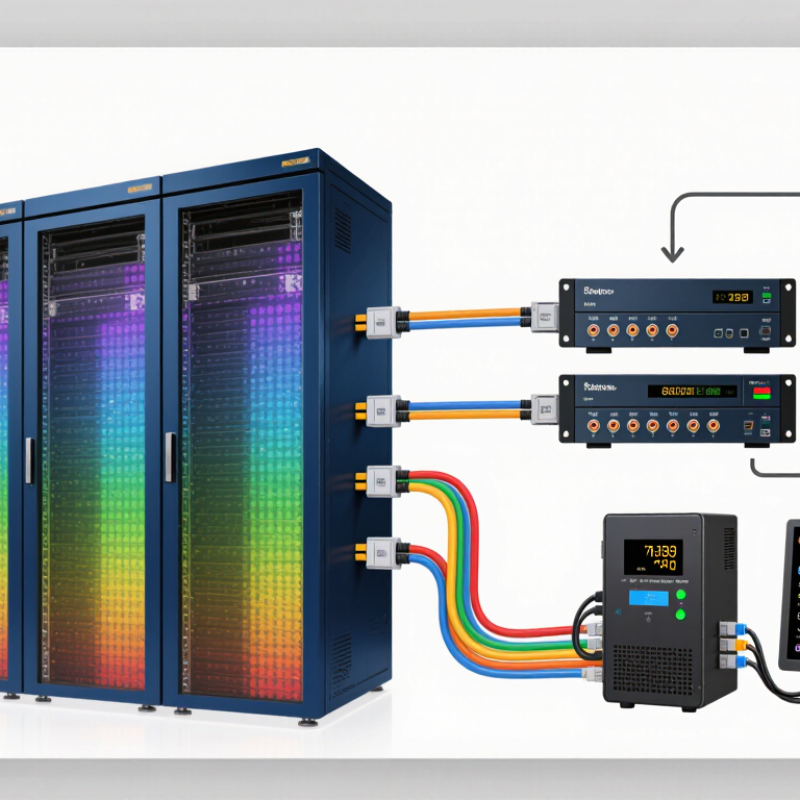
A dependable integration process begins with a wiring diagram and a measured signal path. Use high-quality sending cards, shielded data cables, and stable power distribution. Configure brightness and color calibration before installation. Test every cabinet under real content, not only a static logo. Include signal redundancy where continuous operation matters. Remote monitoring can reveal temperature, voltage, and communication faults before visitors notice them.

Experience also exposes uncomfortable gaps. Not every factory specification reflects field performance. “Best” should mean tested, documented, and supported. Ask for sample cabinet testing, control-system compatibility records, and clear after-sales procedures. Even careful teams make mistakes. A connector may loosen. A controller may be overconfigured. This guide explains the decisions, checks, and practical compromises behind a stronger China LED display integration.
How to Integrate China Best LED Displays with Control Systems

Understanding China LED Display Types and Control System Requirements

Integrating China-made LED displays with control systems starts with identifying the display type, not choosing a controller. Indoor fine-pitch panels need stable grayscale and close-range image uniformity. Outdoor SMD displays require higher brightness, weather protection, and temperature monitoring. COB panels offer strong surface protection, but repairs can be more specialized. Rental displays add quick-lock structures and frequent setup changes. Transparent displays usually demand careful content scaling and unusual cabinet mapping.

Grand View Research estimated the global LED display market at about USD 7.1 billion in 2023, with an expected 8.6% CAGR from 2024 to 2030. This growth increases the need for disciplined system matching. A receiving card must support the cabinet’s pixel matrix, scan mode, refresh rate, and color depth. For live video, 3,840 Hz or higher is commonly preferred to reduce camera banding. Large outdoor walls also benefit from redundant power and signal paths.

In commissioning projects, I check cabinet mapping with a low-brightness test image first. It reveals reversed modules quickly. The processor should match the source resolution, frame rate, HDR requirements, and switching method. Control software needs remote diagnostics, temperature alarms, brightness scheduling, and calibration records. IEC 62368-1 and relevant EMC requirements should guide electrical planning. A common mistake is trusting the datasheet alone. Cable distance, grounding, heat, and firmware compatibility can change the result. Field testing remains essential.

Typical China LED Display Types and Control-System Planning

This chart uses common engineering rule-of-thumb values: the recommended minimum viewing distance is approximately equal to the pixel pitch in millimeters converted to meters. Fine-pitch indoor displays require precise image scaling, stable synchronization, and high-bandwidth signal processing, while outdoor displays generally need longer viewing distances, weather protection, and controllers capable of handling larger module areas and higher brightness.

Selecting Compatible LED Displays, Controllers, and Signal Interfaces

Selecting a compatible LED display starts with the viewing distance, cabinet size, and required pixel pitch. A 2.5 mm pitch can suit an indoor control room, while a 6 mm pitch may be more practical for a distant outdoor audience. MarketsandMarkets projects the global LED display market to reach USD 13.2 billion by 2028, showing why system compatibility deserves careful planning.

Do not match controllers by resolution alone. Check maximum canvas size, refresh rate, grayscale depth, scan mode, receiving-card capacity, and HDR handling. A display running at 3,840 Hz may still look poor if the controller processes only basic 8-bit signals. In field commissioning, I also verify cabinet mapping with a test pattern before permanent installation. It catches reversed modules and incorrect data paths early.

Signal interfaces need equal attention. HDMI and DisplayPort work well for short source connections, while fiber or professional video links can reduce transmission loss over longer routes. Confirm input frame rates, color formats, HDCP requirements, and latency before selecting a controller. Industry reports from the International Data Corporation indicate that digital signage deployments increasingly depend on centralized content and remote management, making network reliability essential. Use shielded cabling, redundant power where appropriate, and separate control traffic from general office traffic. A spreadsheet can still lie. Real-world cable length, heat, and firmware differences may change performance, so leave testing time in the installation schedule.

Planning Power, Data, Network, and Structural Connections

How to Integrate China Best LED Displays with Control Systems

Planning Power, Data, Network, and Structural Connections

Integrating a high-quality LED display starts with accurate site measurements, not a product list. Record voltage, available current, cable distances, ambient temperature, and installation height. Calculate peak power, not only average consumption. Leave practical headroom for startup loads and future modules. A licensed electrician should verify distribution boards, grounding, protection, and emergency isolation points. I have seen projects fail because the power plan matched normal operation but ignored maintenance conditions.

Data and network planning need equal attention. Use a clear signal path from the control source to processors, sending cards, and display cabinets. Keep data cables away from high-current power lines where possible. Label every cable at both ends. Managed network switches, reserved IP addresses, and segmented control traffic can reduce unexpected interruptions. Test long cable runs under full content movement, not just a static logo. Short tests can mislead.

The structure must carry more than the screen’s weight. Check wind pressure, vibration, anchor depth, access space, and cabinet alignment with a qualified structural professional. Provide service clearance behind each section. A perfect drawing may still fail on site when beams, drains, or uneven walls appear. Recheck measurements before drilling. Document torque values, cable routes, test results, and replacement procedures. Leave room for human error. It happens.

How to Integrate China Best LED Displays with Control Systems - Planning Power, Data, Network, and Structural Connections

Practical planning matrix for coordinating an LED display with its control, electrical, network, and support systems. Confirm project-specific requirements with the equipment documentation, local codes, and qualified professionals.
Connection Area Planning Dimension Typical Design Guidance Information to Confirm
Electrical power Supply voltage and phase Many display systems use single-phase AC supplies, commonly within a 100–240 V range; larger installations may require multiple circuits or a different distribution arrangement. Check the display and processor nameplates, specified input range, frequency, grounding requirements, and local electrical standards.
Electrical power Load calculation and circuit capacity Calculate demand from the equipment’s rated or specified maximum power, then size circuits, conductors, and protective devices under applicable electrical codes. Do not use average operating consumption as the sole circuit-sizing basis. Obtain maximum power, typical power, inrush current, and the number of cabinets or modules per power feed from the system documentation.
Electrical power Distribution and isolation Plan accessible distribution points, clearly labeled circuits, suitable overcurrent protection, and a safe means of isolation. Separate display power from sensitive control equipment where the design or local code calls for it. Coordinate circuit routes, emergency shutdown arrangements, grounding and bonding, and maintenance access with the electrical contractor.
Data connection Video processor to display Use the processor’s supported output format and the display system’s specified receiving-card or data-input topology. Confirm resolution, refresh rate, color format, and maximum supported load before selecting interfaces and cable routes. Document the signal path, port assignments, cabinet mapping, spare ports, and any required conversion or distribution equipment.
Data connection Copper Ethernet cabling For standard Ethernet over balanced copper cabling, keep each channel within the applicable 100 m limit, including patch leads. Use cable category and shielding appropriate to the equipment and installation environment. Check connector type, cable specification, grounding practices for shielded cable, and the manufacturer’s permitted cable length and topology.
Network Network design and traffic separation Where practical, place display control and monitoring traffic on a managed, documented network segment. A dedicated VLAN can help with traffic management, but it does not replace access controls or correct network configuration. Confirm IP addressing, switch-port configuration, multicast or broadcast requirements, firewall rules, remote-access policy, and required network bandwidth.
Network Long-distance links and redundancy Consider fiber for links beyond copper Ethernet distance limits, electrically noisy routes, or links between buildings. Provide redundant paths only when the control system supports them and the project requires continued operation after a link failure. Verify fiber type, transceiver compatibility, connector type, route diversity, and failover behavior with the network and display-system designers.
Control system Synchronization and signal timing For displays that must show synchronized content across multiple processors or screens, plan a supported timing or synchronization method and test it with the intended source formats. Confirm supported frame rates, synchronization interfaces, latency expectations, and behavior when a source or processor loses signal.
Structure Support loads and environmental forces Design the support for the complete installed assembly and applicable dead, live, wind, seismic, and other project-specific loads. Structural capacity and connections should be assessed by a qualified structural professional. Provide cabinet weights, mounting points, installation orientation, project location, exposure conditions, and the proposed support details.
Structure Service access and ventilation Reserve the clearances needed for installation, ventilation, cable bending, and maintenance. Front-service and rear-service arrangements can require different access provisions. Confirm the approved service direction, ambient temperature limits, airflow requirements, and access-panel or lifting provisions.
Commissioning Testing and handover records Test power circuits, protective devices, signal paths, network connectivity, cabinet mapping, content playback, and any redundancy before handover. Record circuit schedules, cable labels, network settings, configuration backups, test results, and approved maintenance procedures.

Configuring Software, Content Sources, and Display Parameters

How to Integrate China Best LED Displays with Control Systems

Configuring software, content sources, and display parameters determines whether an LED display performs reliably. In field installations, I begin by matching the control software with the receiving cards and sending devices. Check firmware versions, communication protocols, and network addresses before loading content. Small mismatches can cause flickering, black modules, or delayed playback.

Use a stable content source, such as a media server, camera feed, or scheduled playlist. Set the output resolution to match the display cabinet layout, not just the computer screen. A 1920×1080 source may still appear distorted on an unusual cabinet ratio. Test images, videos, text, and gradients separately. Keep backup files offline. It helps when the network behaves badly.

Display parameters need careful adjustment. Set brightness according to ambient light, viewing distance, and operating hours. Excessive brightness wastes energy and can reduce visual comfort. Configure refresh rate, grayscale, color temperature, and scan mode through measured tests. A camera may reveal lines that the human eye misses. That detail matters for recorded events.

I also label every port and save a configuration copy after testing. This simple habit improves maintenance. However, factory values are not always suitable for the installation. I once trusted an automatic brightness setting too quickly, and the screen changed noticeably between cloudy and sunny periods. Manual limits would have produced a steadier result. Leave time for onsite observation, because software settings rarely behave perfectly on the first attempt.

Testing, Calibrating, and Maintaining the Integrated LED System

Testing, Calibrating, and Maintaining the Integrated LED System

After connecting the LED display to its control system, test every cabinet before public operation. Check signal stability, refresh rate, grayscale performance, and cabinet temperature. Use a test pattern with black, white, red, green, and blue fields. This reveals dead pixels, color shifts, and uneven brightness. Keep a record of each cabinet’s results. Clear records make future repairs faster.

Calibration should match the display’s environment, viewing distance, and content requirements. Adjust brightness gradually, especially for indoor installations. Excessive brightness can cause eye strain and shorten component life. Use a colorimeter when accurate white balance matters. Inspect the screen from several angles. Color may appear consistent from the center but change near the edges. Our first calibration is rarely perfect. Recheck it after several hours of operation.

Maintenance requires routine observation, not only emergency repairs. Clean ventilation openings and inspect power connectors for heat marks or looseness. Review controller logs for signal drops and abnormal temperature readings. Replace damaged modules with matched specifications. After replacement, recalibrate the affected area and compare it with neighboring modules. Keep spare parts sealed and labeled. Test backup control paths before an important event. Small oversights remain possible, so technicians should document unusual behavior instead of dismissing it.

FAQS

How should I choose the LED display pixel pitch?

Start with viewing distance, room size, and audience position.

What controller specifications require checking?

Check canvas size, refresh rate, grayscale depth, scan mode, and receiving-card capacity. Also confirm HDR and signal processing. A high screen refresh rate cannot fix weak controller processing.

Why should cabinet mapping be tested before installation?

Test patterns reveal reversed modules and incorrect data paths. Run the pattern before permanent mounting. It is a small step. It can prevent hours of rework.

Which signal interface suits a long connection?

Short source links can use common copper video interfaces. Fiber or professional video links may reduce transmission loss over longer routes. Confirm frame rate, color format, protection requirements, and latency. Cable distance changes real performance.

How should power planning be completed?

Measure voltage, available current, cable distance, and ambient temperature. Calculate peak power, not only average consumption. Leave headroom for startup loads and future modules. Normal operation is not the whole story.

What electrical safety checks are important?

A licensed electrician should verify grounding, distribution boards, protection, and emergency isolation. Plan redundant power when appropriate. Keep maintenance conditions in mind. Power plans sometimes look complete too early.

How can network interruptions be reduced?

Use a clear path from the control source to processors and cabinets. Label both ends of every cable. Use managed switches, reserved addresses, and separated control traffic. Test moving content across long cable runs. A static logo proves very little.

What structural details must be checked before mounting?

Verify wind pressure, vibration, anchor depth, cabinet alignment, and service clearance. The structure must support more than screen weight. Check beams, drains, and uneven walls before drilling. Recheck measurements. Site conditions can disagree with drawings.

Conclusion

Integrating a China-made LED display with a control system requires a structured approach from selection through maintenance. The process begins by identifying the display type, pixel pitch, viewing distance, brightness, refresh rate, and installation environment, then matching these requirements with suitable controllers and signal interfaces. Compatibility between receiving units, sending devices, video processors, and content sources is essential for stable image transmission and reliable performance.

To understand how to integrate LED displays with control systems, planners should also design the power, data, network, and structural connections before installation. Software configuration should cover screen resolution, cabinet arrangement, color settings, refresh parameters, input sources, and content scheduling. After assembly, the system must be tested for signal stability, brightness consistency, color accuracy, and synchronization. Regular inspection of cables, power distribution, ventilation, software settings, and display modules helps prevent failures and keeps the integrated LED system operating efficiently over time.

Isabella

Isabella

Isabella is a dedicated marketing professional with a sharp focus on driving brand growth and engagement through strategic content creation. With an extensive background in digital marketing, she combines her passion for storytelling with her keen understanding of industry trends to deliver......