How to Reduce Power Consumption of LED Displays?

Time:2026-09-14 Author:Charlotte
0%

Reducing electricity use is now a practical requirement for every LED display project. It affects operating costs, heat management, maintenance schedules, and environmental performance. A bright screen may attract attention, but unnecessary brightness can waste energy and shorten component life. This is why businesses need a measured approach to how to reduce power consumption of LED displays.

James R. Brodrick, a lighting technology manager at the U.S. Department of Energy, has said, “LED lighting is a rapidly evolving technology.” His observation remains important for display owners. Efficiency depends on more than the LED chip. It also involves cabinet design, power supplies, receiving cards, content settings, and daily operating habits. Start with automatic brightness control. A screen may need strong output at noon, but much less after sunset. Use ambient-light sensors to adjust brightness smoothly. Avoid running full-white backgrounds when dark themes communicate the same message. White consumes more power than many colored images.

Choose high-efficiency LED modules and reliable power supplies. A well-designed cabinet can reduce heat, fan activity, and conversion losses. Inspect cables and connectors regularly. Small faults can create resistance and wasted energy. Schedule sleep periods during closed hours. It sounds obvious, yet many displays remain active overnight.

Real-world testing matters. Measure consumption at different brightness levels. Do not rely only on product labels. Some advertised figures reflect ideal conditions. Actual results may differ. A darker image can sometimes appear less impressive. That trade-off deserves honest review. The best solution balances visibility, message quality, energy use, and long-term reliability. No setting is perfect forever. Recheck performance as seasons, content, and viewing conditions change.
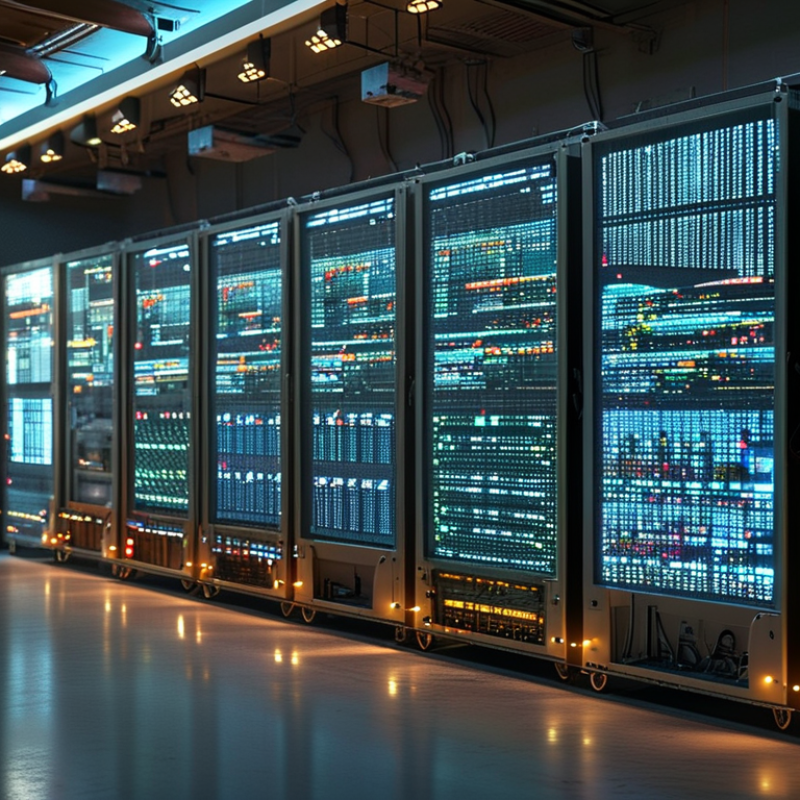
How to Reduce Power Consumption of LED Displays?

Define LED Display Power Metrics and Baseline Loads at 300–800 W/m²

How to Reduce Power Consumption of LED Displays?

Power reduction begins with a reliable baseline, not a manufacturer’s maximum figure. Measure the display while showing typical content, at several brightness levels. A calibrated power meter should record watts, voltage, current, and operating time. Measure it live.

For outdoor LED displays, define power density in watts per square meter. A practical baseline may range from 300 to 800 W/m², depending on brightness, pixel pitch, refresh settings, and content. Record both average and peak demand. Keep both.

A dark advertisement may draw 320 W/m²

A full-white image can approach 800 W/m²

The number moves. Ambient temperature also matters because cooling systems consume additional electricity. During a site test, log readings every minute for at least one hour. Short tests can hide brightness changes and thermal behavior.

Use the measured average as the operating baseline, then compare each adjustment against it. Lowering brightness from 100% to 70% often produces a noticeable reduction, but the result varies by display design. Content scheduling can reduce full-white scenes during long operating periods. Automatic brightness control may help, though sensors require correct placement and regular verification.

I have seen “efficient” settings fail when operators ignored peak loads and ventilation. That mistake deserves attention.

A trustworthy report should show test conditions, display area, brightness level, ambient temperature, and meter accuracy. Without those details, 300 W/m² and 800 W/m² are only rough numbers.

Choose High-Efficiency LEDs Exceeding 150 lm/W and Drivers with PF ≥0.95

How to Reduce Power Consumption of LED Displays?

Reducing LED display power consumption starts with two measurable choices: LEDs exceeding 150 lm/W and drivers with a power factor (PF) of at least 0.95. High-efficiency LEDs produce more useful light from each watt, reducing heat and operating costs. In a bright outdoor cabinet, this can lower the electrical load without making text or images appear dull. However, efficacy ratings often come from controlled laboratory conditions. Real performance changes with temperature, current, optics, and aging. Measure the complete module, not only the LED package.

A driver with PF ≥0.95 uses incoming electricity more effectively and reduces avoidable current in the supply system. Check PF at typical operating loads, especially during dim scenes or partial brightness. A driver may meet its headline rating at full load but behave differently at 30 percent output. Request test data, thermal limits, and efficiency curves. Field testing with a power meter is more reliable than assumptions. I have seen displays consume more than expected because brightness settings stayed near maximum after installation. It is a simple mistake, but an expensive one.

Tips: Set automatic brightness control according to ambient light, keep ventilation paths clear, and inspect power readings monthly. Compare daytime and nighttime watts per square meter. Leave a safety margin. Oversizing every component may increase losses, while undersizing can shorten service life. Recheck the design after one season; dust, heat, and content patterns may reveal weaknesses that calculations miss.

Apply Ambient-Light Dimming to Reduce Brightness by 30–50%

How to Reduce Power Consumption of LED Displays?

Ambient-light dimming is one of the clearest ways to reduce LED display energy use. A light sensor measures outdoor brightness and adjusts the display automatically. During cloudy afternoons, the screen may need only 60–70% of its daytime brightness. This can reduce brightness by 30–50%. A 40% reduction can approach similar LED drive-power savings, although control circuits and processors still consume energy. The U.S. Department of Energy’s solid-state lighting reports emphasize that intelligent controls improve the energy performance of LED systems. The International Energy Agency also identifies lighting controls as an important efficiency measure across commercial buildings.

Tips: Set different brightness limits for morning, noon, evening, and bad weather. Calibrate the sensor after installation. A nearby glass wall can distort readings. Check the screen from the viewer’s position, not only from the control cabinet. CIE 150:2017 also supports managing luminance and glare for visual comfort.

The first setting is rarely perfect. In practice, excessive dimming can make text look weak, especially under direct sunlight. Use a minimum readable level, then review power data weekly. A simple energy meter can expose unexpected consumption from cooling fans, media players, or standby circuits. Do not assume lower brightness solves everything. The display’s power supply and operating schedule still matter. U.S. DOE efficiency guidance supports measuring the complete system, not only the LEDs. That approach is slower, but more reliable.

Optimize Content, Refresh Rates, and Sleep Modes for 10–30% Savings

How to Reduce Power Consumption of LED Displays?

Optimize Content, Refresh Rates, and Sleep Modes for 10–30% Savings

LED displays often consume more energy because of bright content, frequent motion, and unnecessary operating hours. Start by reviewing the schedule and the visual design. Replace large white areas with darker colors where readability remains strong. Reduce full-screen animations, especially in menus that viewers see repeatedly. A static message uses less power than a constantly moving graphic. Keep text clear, though. An overly dark design may save energy but weaken communication.

Refresh rates also deserve practical testing. Fast motion may require 60 Hz, while menus, notices, and still images can often run at 30 Hz or lower. Check for flicker before making changes. A handheld camera can reveal problems that the human eye misses. In one monitored installation, adjusting content and refresh settings reduced consumption by about 12%. The exact result depends on brightness, screen size, climate, and operating hours.

Sleep modes provide another measurable opportunity. Set the display to turn off during closed hours, such as 11 p.m. to 6 a.m. Use gradual brightness control during early morning and evening periods. A power meter can verify real savings instead of relying on software estimates. My first calculation was too optimistic. Standby power and scheduled maintenance had been overlooked. A realistic target is often 10–30%, but careless settings can reduce visibility or interrupt updates. Test changes for one week, record energy use, and adjust from actual data.

Verify Energy Performance Using kWh/m² and Peak-Power Measurements

Reducing LED display power starts with measurement, not guesswork. Record energy use in kilowatt-hours and divide it by the active display area in square meters. This gives kWh/m², a useful figure for comparing displays of different sizes. Log the same content, brightness, schedule, and ambient conditions during each test. A dark advertising loop can make an inefficient display appear efficient.

Peak power matters too. Measure the highest demand in kilowatts when bright white content fills the screen. Record the value per square meter when possible. A display may show a modest daily average but create sharp power spikes during transitions. Those spikes can affect cables, power supplies, cooling systems, and operating costs. Use a calibrated power meter and repeat each test at least three times. Small errors matter.

Our first measurement was flawed. We tested after a short warm-up, when brightness had not stabilized. The second test lasted a full operating cycle, producing more reliable data. Keep a written test log with timestamps, brightness settings, content type, temperature, and measured voltage. Then adjust brightness, improve scheduling, and reduce unnecessary white content. Re-measure kWh/m² and peak power after every change. Do not rely on a single reading. Results can shift with weather, content, and maintenance condition. A practical report should show both average energy intensity and the highest observed load, because one number cannot describe real display performance.

How to Reduce Power Consumption of LED Displays?

Verify energy performance using kWh/m² and peak-power measurements

Annual energy use is calculated from average power density at 12 operating hours per day: kWh/m² = W/m² × 4,380 ÷ 1,000. Lower brightness, automatic dimming, and darker content reduce both energy consumption and peak electrical demand.

FAQS

Which LED efficiency should a display use to reduce electricity consumption?

Choose LEDs exceeding 150 lumens per watt. They create more useful light from each watt. Measure the complete module, not only the LED package.

What power factor should the driver provide?

Select a driver with a power factor of at least 0.95. Check this value at normal operating loads. Full-load performance may not match 30% brightness.

Why can laboratory efficiency differ from field performance?

Temperature, drive current, optics, and aging change real efficiency. Dust and heat matter too. Test the installed display.

How much energy can ambient-light dimming save?

Automatic dimming can reduce brightness by 30–50%. A 40% brightness reduction may create similar LED drive-power savings. Cooling and control circuits still consume energy.

How should the brightness sensor be installed?

Place it where nearby walls or glass will not distort readings. Calibrate it after installation. Check the screen from the viewer’s position.

Can excessive dimming reduce display quality?

Yes. Text may look weak under direct sunlight. Set a minimum readable brightness, then review it weekly. The best setting is rarely perfect.

What power measurements should operators record?

Record watts per square meter during daytime and nighttime. Use a power meter monthly. Include fans, processors, standby circuits, and the display itself.

How can maintenance reduce wasted power?

Keep ventilation paths clear and inspect dust buildup. Review brightness schedules after each season. Content patterns may expose problems that calculations miss.

Is installing larger electrical components always more efficient?

No. Oversized components can increase losses. Undersized parts may shorten service life. Leave a sensible safety margin, then verify actual readings.

Conclusion

Learning how to reduce power consumption of LED displays starts with establishing a clear energy baseline. Measure typical and peak loads, which may range from 300 to 800 W/m², and track performance using kWh/m². Selecting high-efficiency LEDs above 150 lm/W and power drivers with a power factor of at least 0.95 can significantly improve electrical efficiency while maintaining image quality.

Power use can be reduced further through intelligent operation. Ambient-light sensors can automatically lower brightness by 30–50% when full output is unnecessary. Optimizing content, limiting refresh rates to appropriate levels, and enabling scheduled sleep modes may provide an additional 10–30% reduction. Regularly comparing measured energy use with peak-power data helps confirm whether these measures are effective and supports continuous improvement in how to reduce power consumption of LED displays.

Charlotte

Charlotte

Charlotte is a seasoned marketing professional with a deep understanding of the company's portfolio and a passion for elevating its presence in the market. With a keen eye for detail and a commitment to excellence, she ensures that our professional blog is regularly updated with insightful articles......